
View an Endpoints Events
View the events related to this endpoint only
Endpoint Events
The Events tab provides a chronological record of activity related to an endpoint. It captures system, network, and configuration changes, allowing you to monitor behaviour and troubleshoot issues. Events are always generated and recorded by the platform. The Events tab shows this history regardless of whether events are configured to be forwarded externally.
Accessing Endpoint Events
To view events for an endpoint:
- Navigate to Inventory → Endpoints
- Select an endpoint
- Open the Events tab
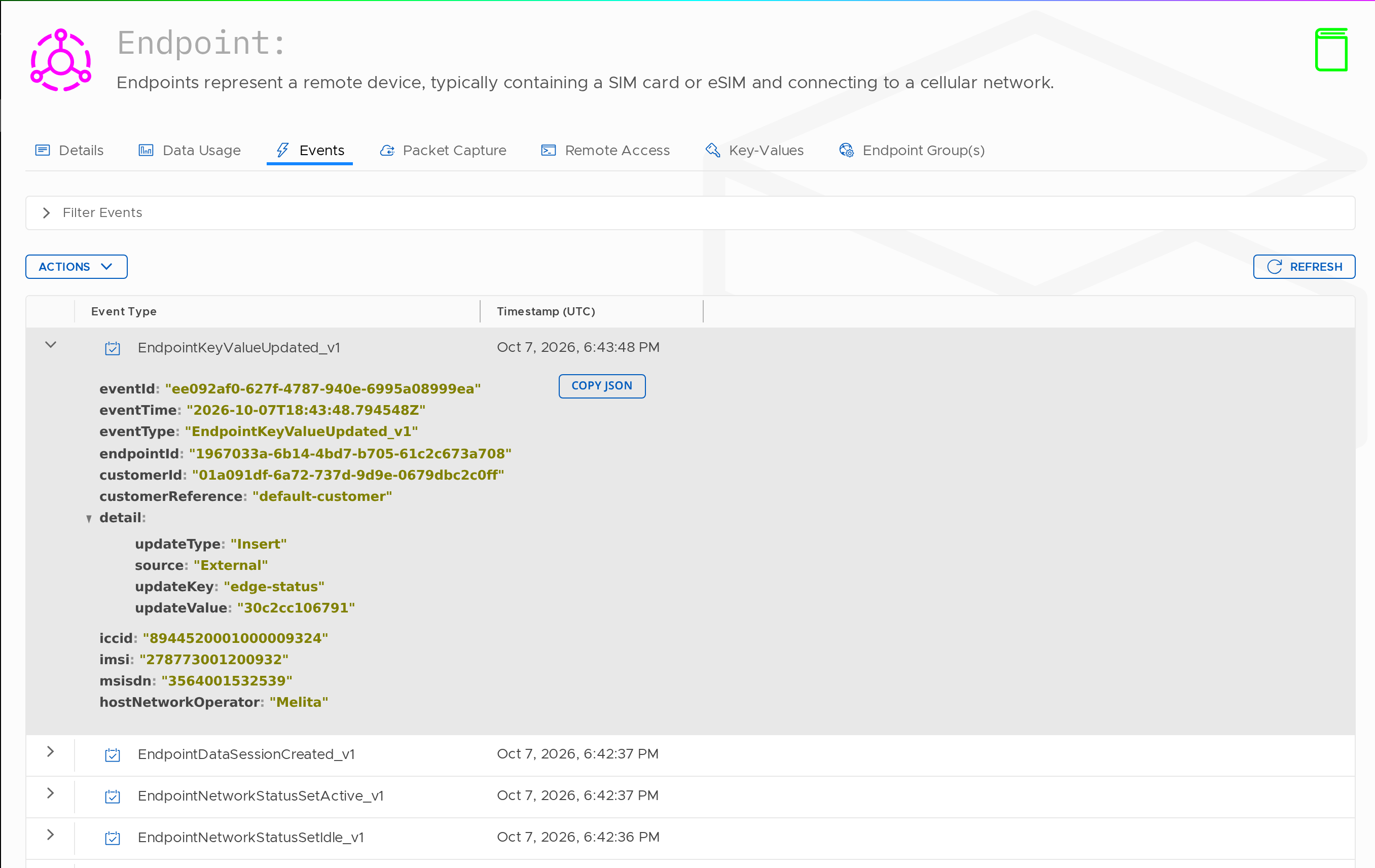
Overview
Events are displayed in reverse chronological order, with the most recent activity shown first.
Each event represents a state change, activity, or system observation, such as:
- Configuration updates (e.g. key-value changes)
- Provisioning changes (e.g. activation)
- Network-related activity
Event Table
| Column | Description |
|---|---|
| Event Type | The type of event recorded (e.g. EndpointKeyValueUpdated_v1, EndpointProvisioningStatusSetActive_v1) |
| Timestamp (UTC) | The exact time the event occurred |
| Action | Provides access to additional tools such as signalling inspection |
Viewing Event Details
Clicking an event expands the full event payload.
The expanded view includes:
| Field | Description |
|---|---|
| eventId | Unique identifier for the event |
| eventTime | Timestamp of the event |
| eventType | Type of event |
| endpointId | Identifier of the endpoint |
| customerId | Identifier of the customer account |
| customerReference | External reference associated with the endpoint |
| detail | Event-specific data (e.g. update type, source, key, value) |
| iccid | SIM identifier |
| imsi | IMSI used during the event |
| msisdn | Phone number (if available) |
| hostNetworkOperator | Network operator involved |
A Copy JSON option is available to export the full event payload.
Filtering Events
Use the Filter Events panel to refine results:
| Field | Description |
|---|---|
| Event Types | Select specific event types or view all |
| Date Range | Filter by most recent or a specified time window |
Click Load Events to apply filters.
Actions
| Action | Description |
|---|---|
| Refresh | Reloads the current event list |
| Load More | Retrieves additional historical events |
| Manage Columns | Customise visible columns in the table |
Updated 13 days ago