
Endpoint Packet Capture
The Packet Capture tab allows you to capture and download network traffic for an endpoint
Accessing Packet Capture
To access packet capture:
- Navigate to Inventory → Endpoints
- Select an endpoint
- Open the Packet Capture tab
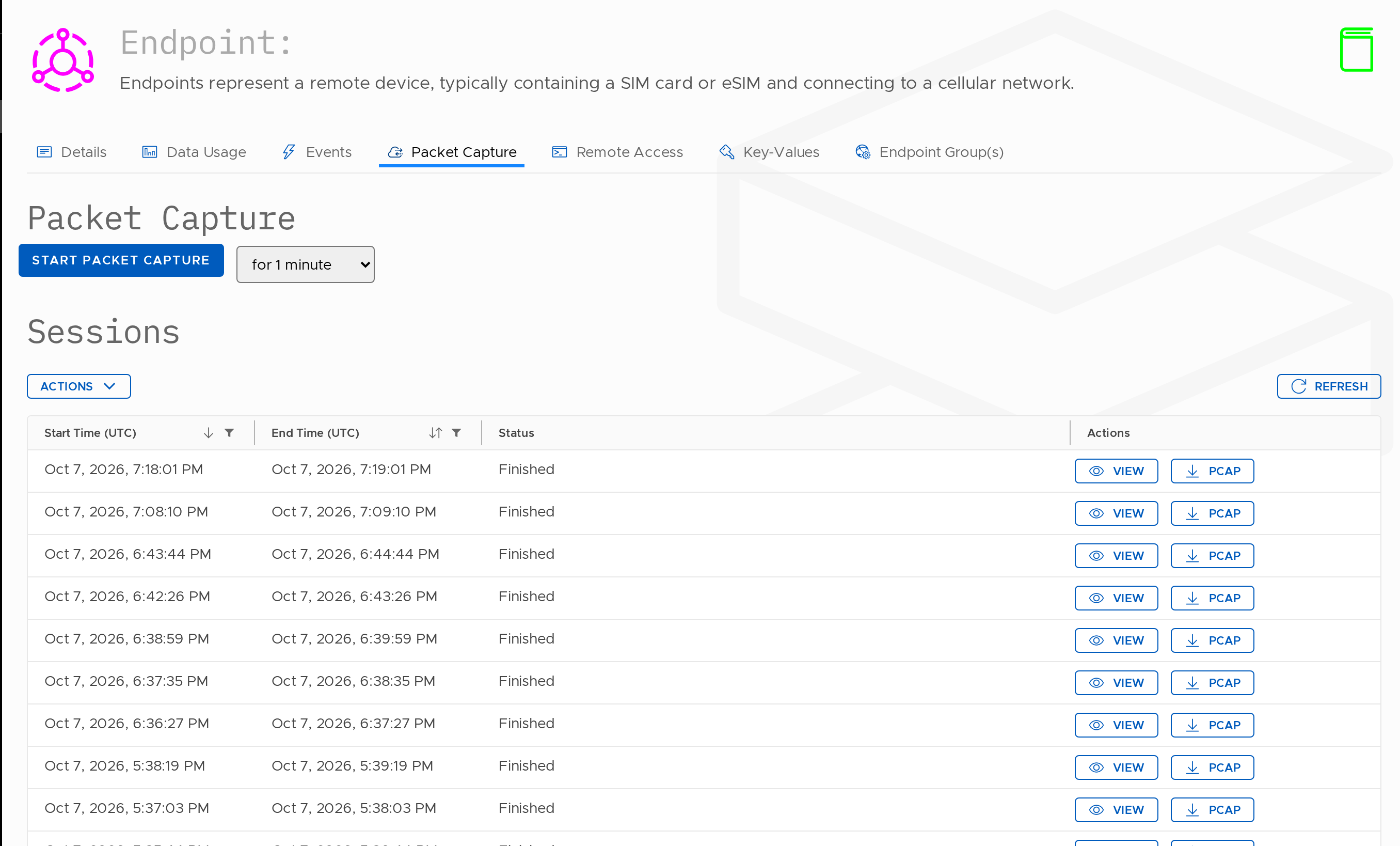
Starting a Packet Capture
To start a packet capture session:
- Click Start Packet Capture
- Select the capture duration (e.g. 1 minute)
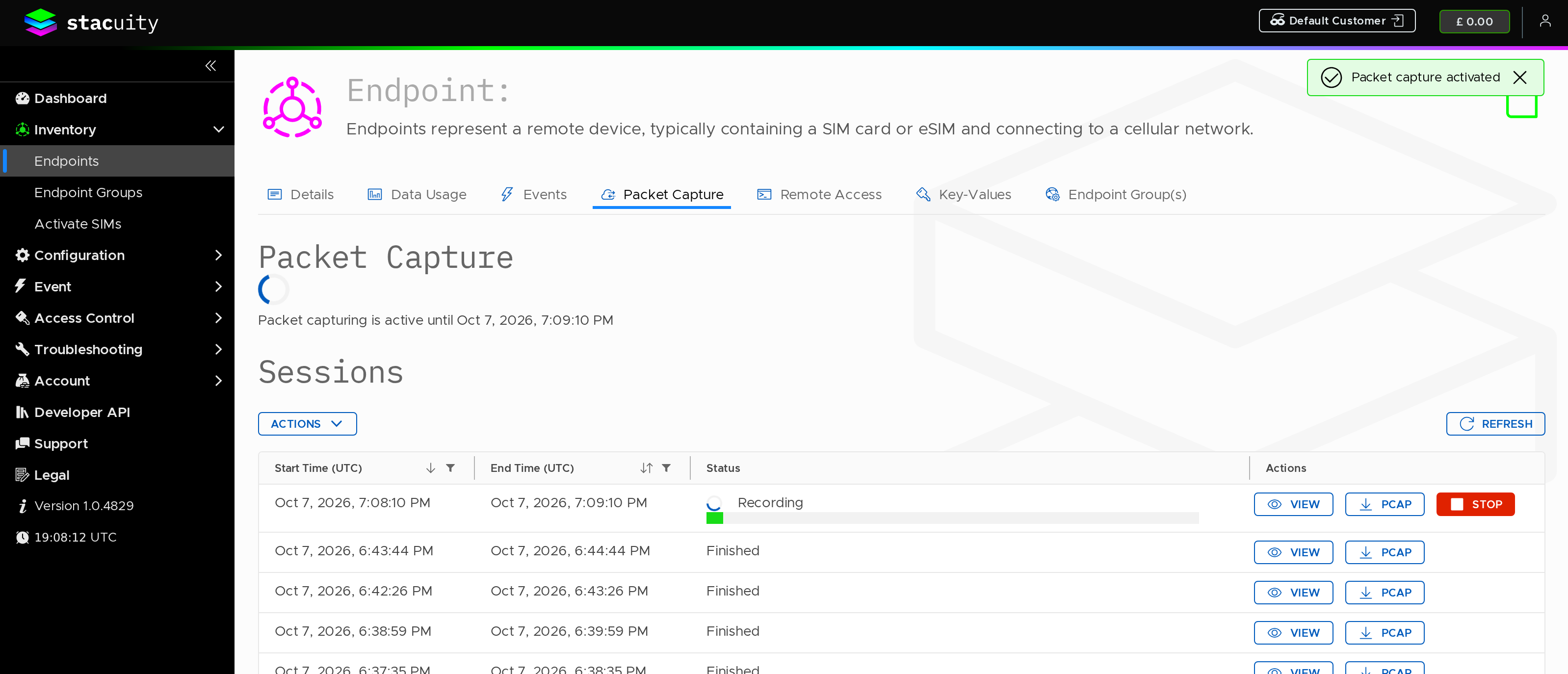
Sessions
The Sessions table displays previously captured packet sessions.
| Column | Description |
|---|---|
| Start Time (UTC) | The time the packet capture session started |
| End Time (UTC) | The time the packet capture session ended |
| Status | The status of the capture session (e.g. Finished) |
| Actions | Available actions for the session |
Session Actions
For each session, the following actions are available:
| Action | Description |
|---|---|
| View | Opens the packet capture session |
| PCAP | Downloads the packet capture file |
Additional Actions
| Action | Description |
|---|---|
| Refresh | Reloads the session list |
| Manage Columns | Customise visible columns in the table |
Updated 13 days ago
What’s Next
Did this page help you?