
Settings Management
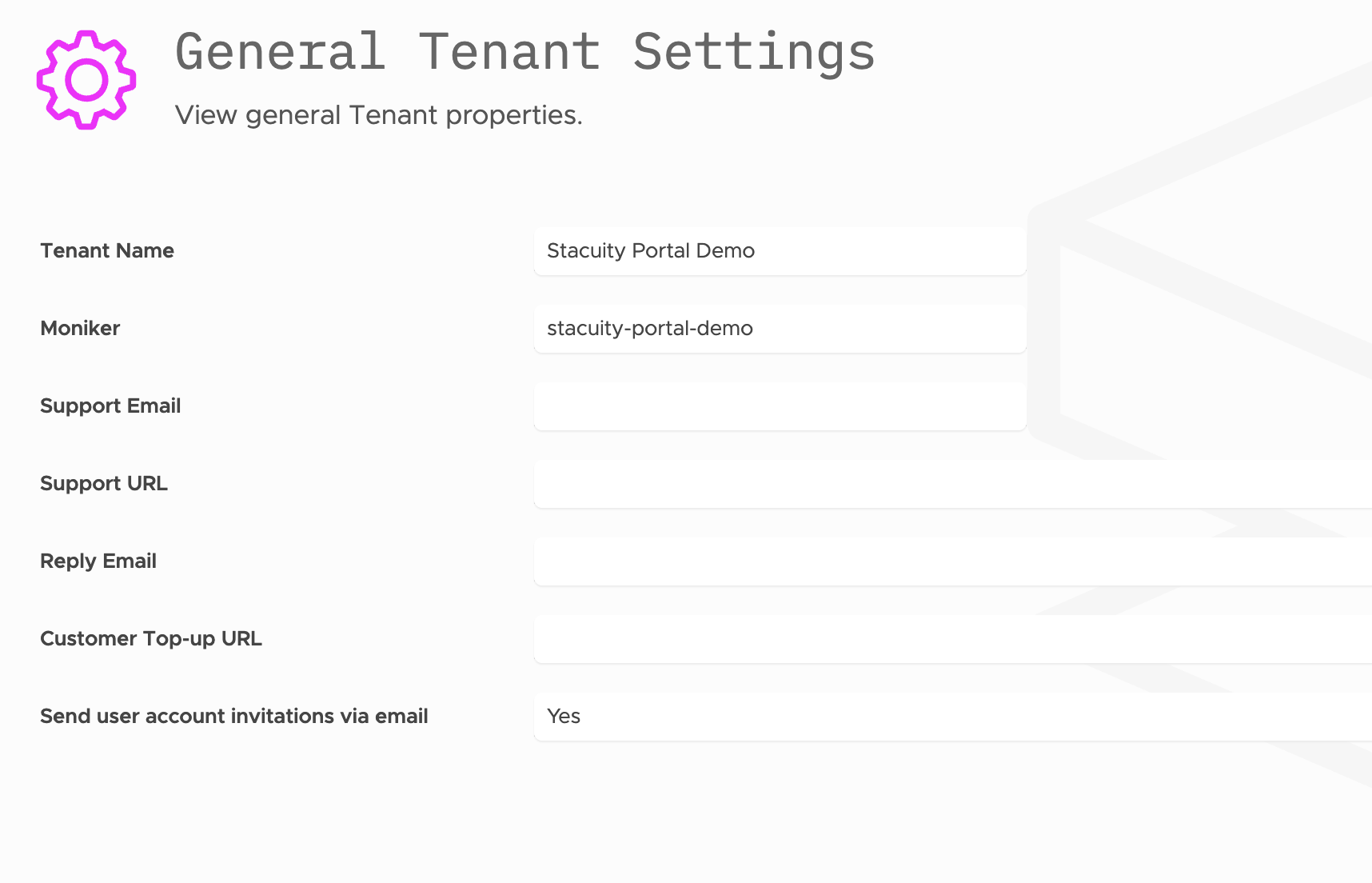
General Tenant Settings allow you to view and configure basic tenant properties and operational parameters.
Navigation
Navigate to Settings → General Tenant Settings to access the configuration interface.
Basic Information:
- Tenant Name: Display name for the tenant (e.g., "Stacuity Portal Demo")
- Moniker: System identifier for the tenant (e.g., "stacuity-portal-demo")
Support Configuration:
- Support Email: Contact email for support requests (field available but may be empty)
- Support URL: Support website or portal URL (field available but may be empty)
- Reply Email: Email address for automated replies (field available but may be empty)
Customer Management:
- Customer Top-up URL: URL for customer balance top-up functionality (field available but may be empty)
Communication Settings:
- Send user account invitations via email: Toggle setting showing "Yes" to enable email invitations
Note: The General Tenant Settings appear as read-only, providing visibility into current configuration without editing capabilities.
Domain Configuration
Domain Configuration allows you to assign custom portal domains and configure authentication settings for customer access.
Navigation
Navigate to Settings → Domain Configuration to access the domain management interface.
Domain Management Interface
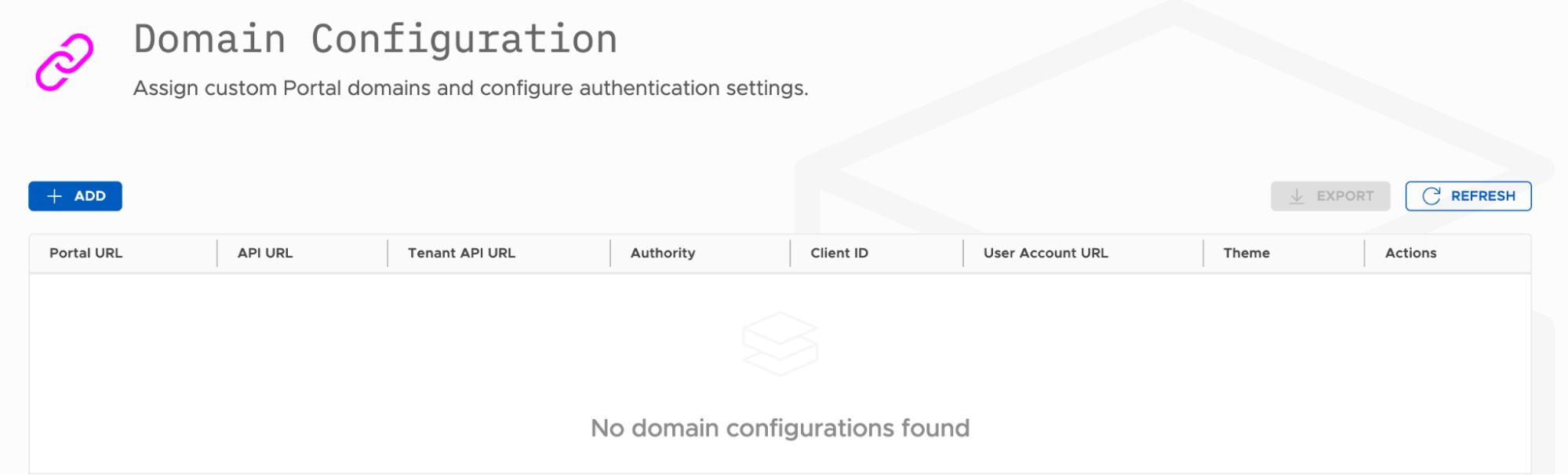
Main Controls:
- ADD button: Create new domain configurations
- EXPORT button: Export current domain settings
- REFRESH button: Update the domain list
Domain Configuration Table: The interface displays a table with the following columns:
- Portal URL: Custom domain for portal access
- API URL: API endpoint URL for the domain
- Tenant API URL: Tenant-specific API URL
- Authority: Authentication authority configuration
- Client ID: OAuth/authentication client identifier
- User Account URL: User account management URL
- Theme: Visual theme selection for the domain
- Actions: Management options (edit/delete)
Empty State: When no domain configurations exist, the system displays: "No domain configurations found"
Creating Domain Configurations
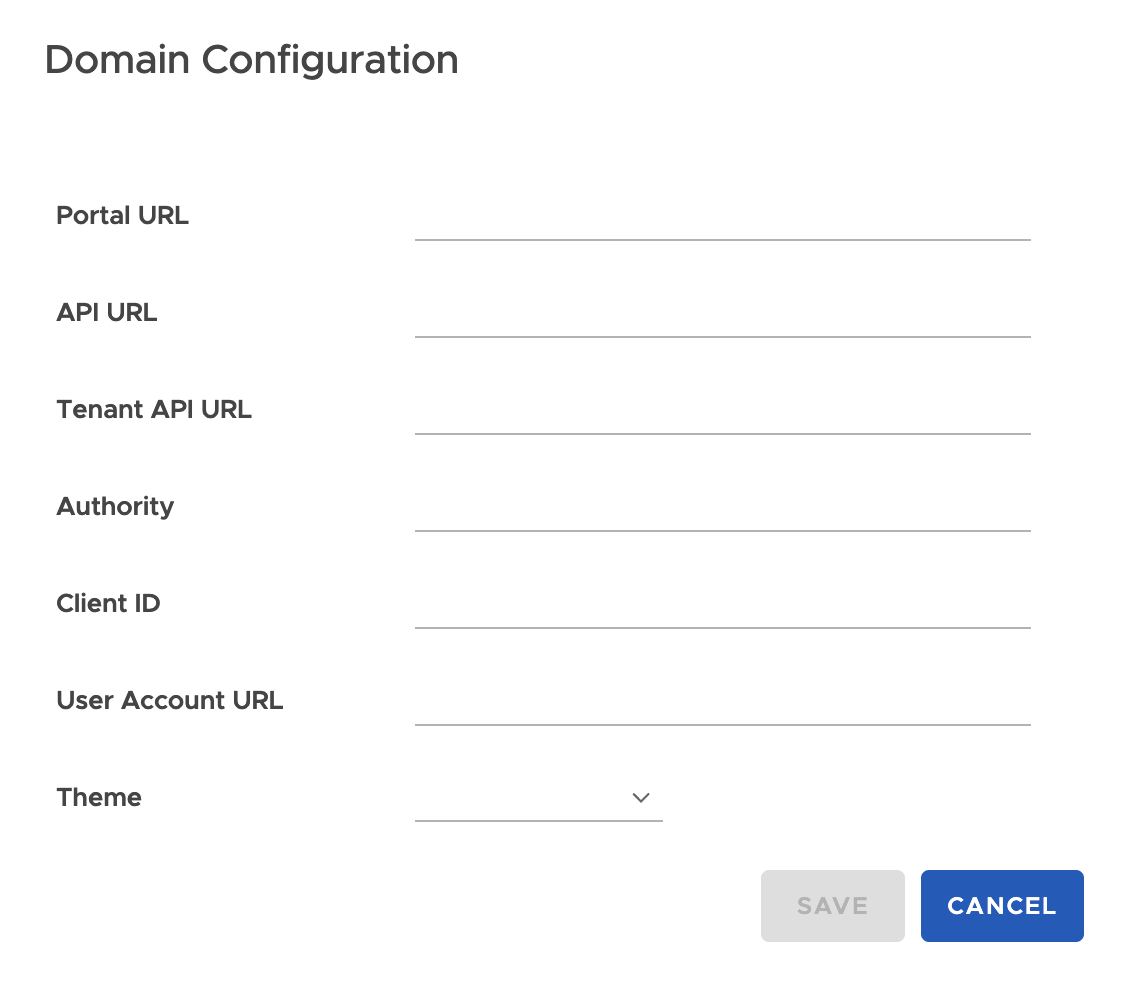
Configuration Form: When adding a new domain configuration, the following fields are available:
- Portal URL: Enter the custom domain URL for portal access
- API URL: Specify the API endpoint URL
- Tenant API URL: Configure tenant-specific API URL
- Authority: Set authentication authority settings
- Client ID: Define OAuth/authentication client ID
- User Account URL: Configure user account management URL
- Theme: Select visual theme from dropdown options
Form Controls:
- SAVE: Apply the domain configuration
- CANCEL: Discard changes and return to the domain list
Use Cases for Domain Configuration
White-label Portal Access:
- Configure custom domains for tenant-specific portal branding
- Set up authentication parameters for secure access
- Customize visual themes for different tenant portals
Multi-tenant Management:
- Separate portal URLs for different tenant environments
- Independent authentication configurations per domain
- Customized user experience through theme selection
Updated about 1 year ago
What’s Next
Help