
Routing Targets
External network destinations for your endpoint traffic.
What is a Routing Target?
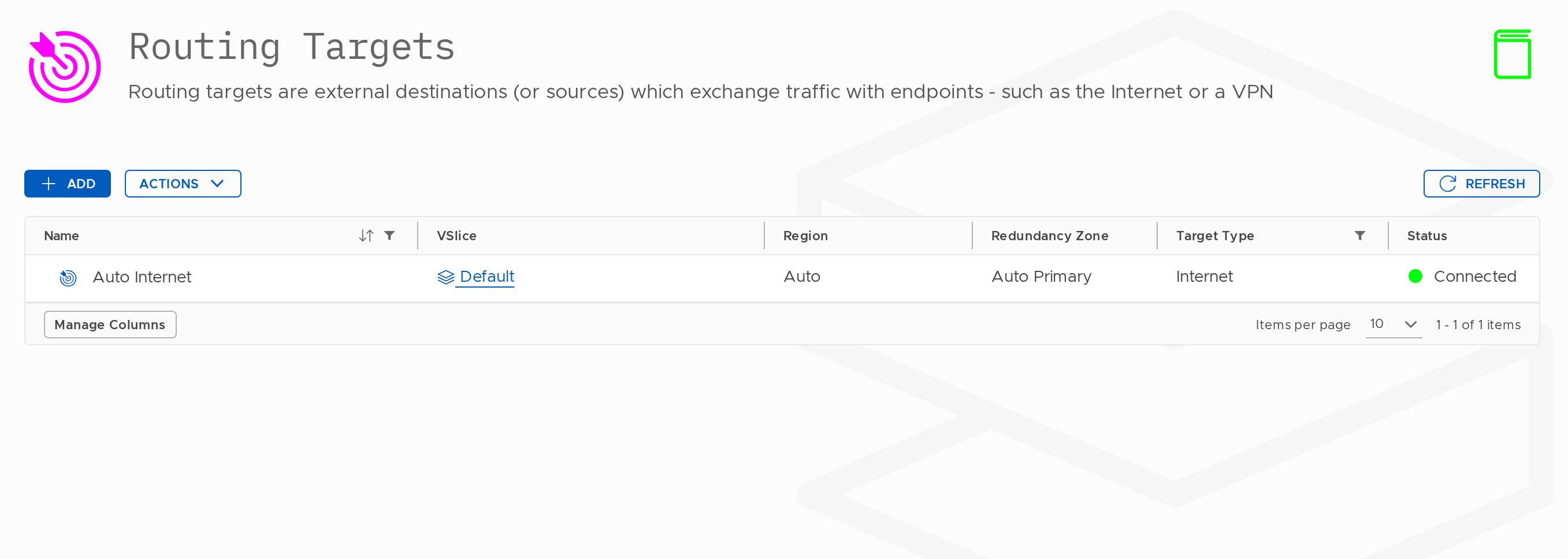
A Routing Target defines where your endpoint traffic is delivered: an internet breakout, a private VPN tunnel, or a direct cloud connection.
Routing Targets belong to a VSlice. Every Routing Target, Routing Policy, and Endpoint Group used together must belong to the same VSlice.
Routing Target Types
Internet
Provides a public internet breakout. Stacuity allocates a public IP address and applies NAT. Configuration required: None.
VPN (IPSec)
An encrypted private tunnel. Endpoint traffic is forwarded with no NAT — the device's private IP is passed end-to-end.
Configuration required: Gateway IP, pre-shared key or certificate, IKE/ESP settings, protected subnets.
WireGuard
A modern, lightweight VPN protocol. Configuration required: server public key, endpoint address and port, allowed IPs.
Cloud and Direct Connect Types
AWS Direct Connect, Azure ExpressRoute, Google Interconnect, Cross Connect, and Direct Peering appear in the portal but are not self-service. Contact your tenant administrator to request these.
Settings Fixed at Creation
| Setting | Notes |
|---|---|
| VSlice | Cannot be changed. |
| Region | Asia / Brazil (Beta) / Europe / North America / Australia (Beta). Cannot be changed. |
| Redundancy Zone | Cannot be changed. |
| Target Type | Cannot be changed. |
Settings That Can Be Changed
| Setting | Notes |
|---|---|
| Name | Human-readable label. |
| Moniker | 5–30 characters. API identifier. |
Create a Routing Target
Steps:
-
Go to Configuration → Routing Targets.
-
Click Add.
-
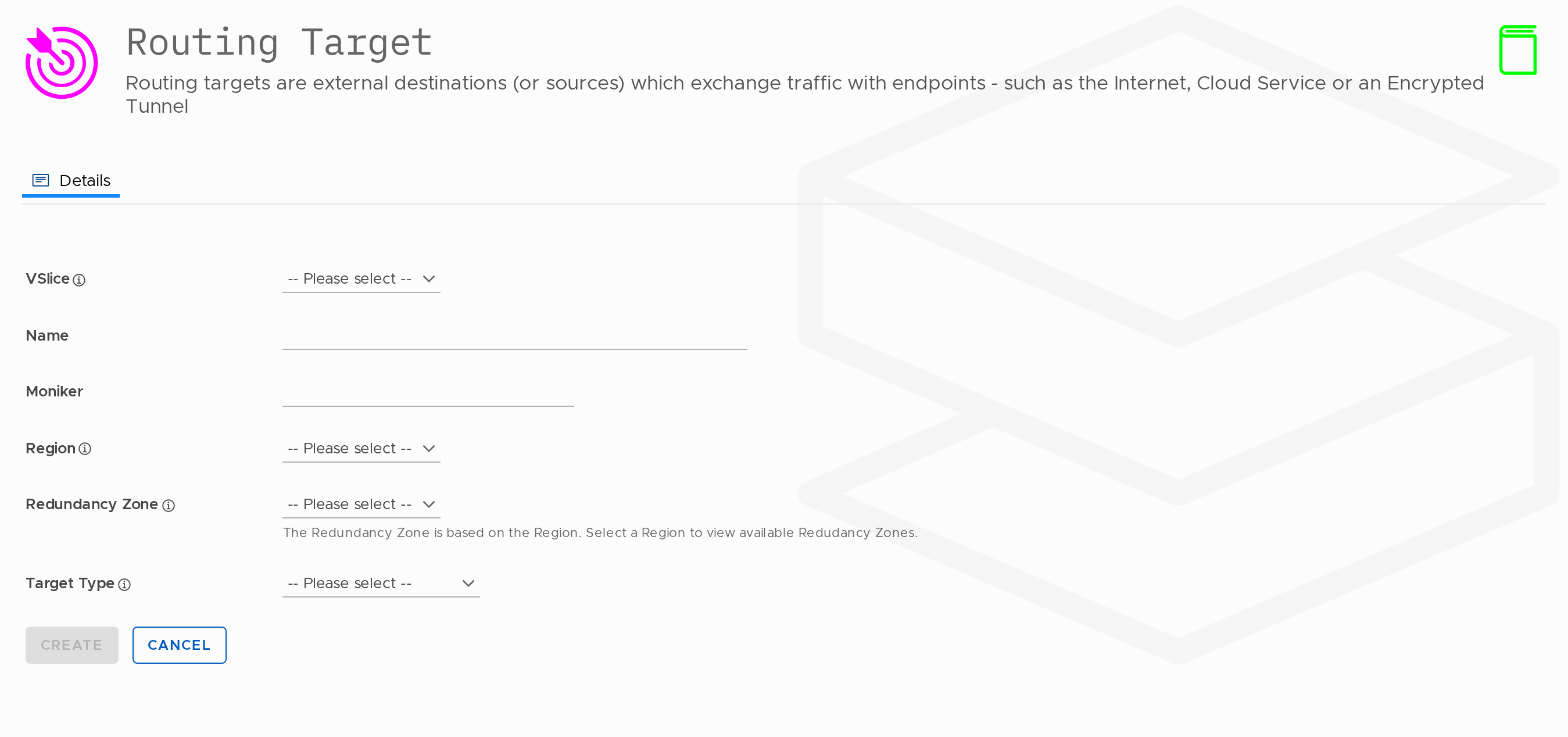
Fill in the fields and click Create.
| Field | Required | Changeable? | Notes |
|---|---|---|---|
| VSlice | Yes | No | |
| Name | Yes | Yes | 5–100 characters. |
| Moniker | Yes | Yes | 5–30 characters. |
| Region | Yes | No | |
| Redundancy Zone | Yes | No | |
| Target Type | Yes | No |
Auto Internet Breakout
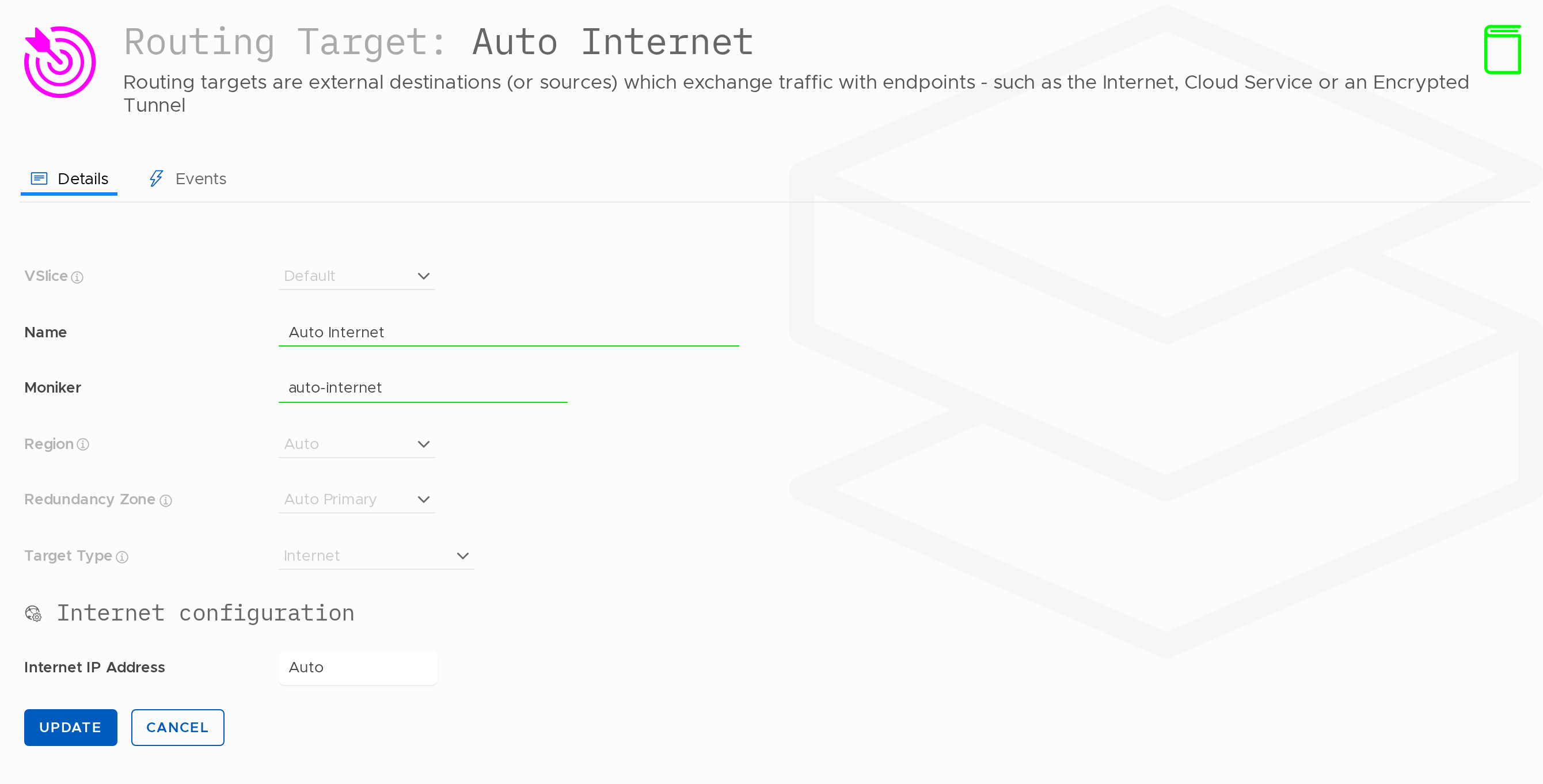
The Region field on a routing target can be set to Auto. An Auto-region routing target behaves according to the region in which traffic lands: traffic arriving at a given Edge Site is routed to the internet from that same Edge Site.
Auto is only compatible with the Internet target type.
When an Auto Internet routing target is referenced by a routing rule, that single target and rule provide local internet breakout across every Stacuity Edge Site. There is no need to create a separate routing target and rule for each site (for example, Internet-Europe, Internet-US, Internet-Asia). If the only requirement for the estate is internet access, one target and one rule cover it. As Edge Sites are added to the platform, they are automatically included in the Auto region with no further customer configuration.
Note on regional policy
Auto controls where traffic breaks out — it does not control where traffic lands. Which Edge Site a session is anchored to is determined by the regional policy, not the routing target. Customers can define their own regional policy or use the default Stacuity Optimised Regional Policy, which anchors sessions to the nearest PGW. Used together, an Auto Internet routing target and the Optimised Regional Policy deliver Stacuity-managed local internet breakout.
Edit a Routing Target
Editable fields: Name, Moniker only.
VSlice, Region, Redundancy Zone, and Target Type cannot be changed after creation.
Delete a Routing Target
A Routing Target cannot be deleted while it is referenced by a Routing Policy rule. Remove or update those rules first.
Updated 14 days ago