
Endpoint Remote access
The Remote Access tab provides access to remote connectivity features for an endpoint
Accessing Remote Access
To access remote access features:
- Navigate to Inventory → Endpoints
- Select an endpoint
- Open the Remote Access tab
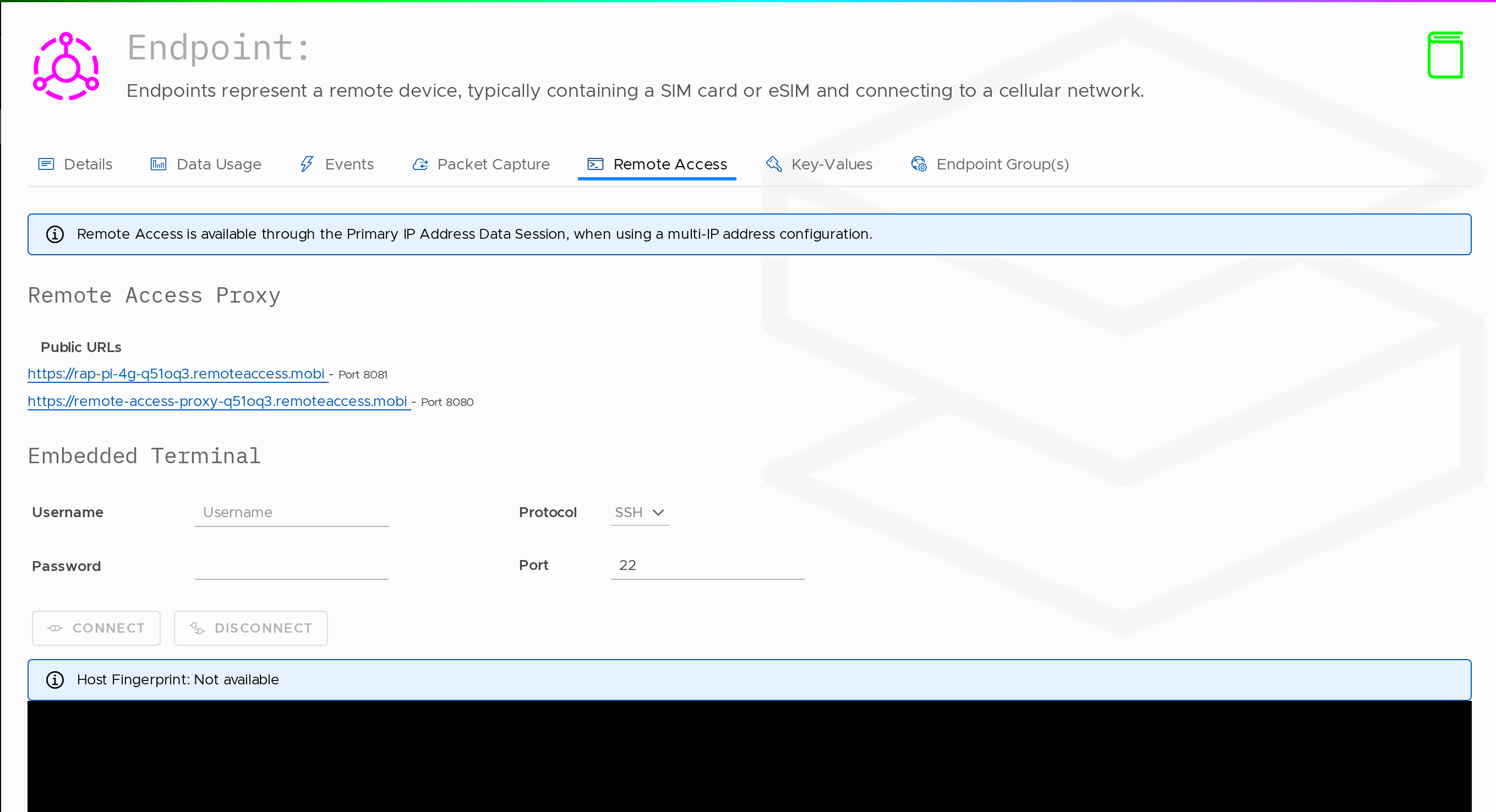
Overview
Remote Access is available through the Primary IP Address Data Session, when using a multi-IP address configuration.
Remote Access Proxy
Remote Access Proxy allows access to the endpoint via the network.
To use this feature:
- Enable Remote Access Proxy on the Routing Policy
- Navigate to the Edge Services tab within the Routing Policy
Embedded Terminal
Embedded Terminal provides terminal access to the endpoint.
To use this feature:
- Enable Embedded Terminal on the Routing Policy
- Navigate to the Edge Services tab within the Routing Policy
Remote Access (Enabled)
Remote Access is configured using Edge Services and applied via the Endpoint Group. Once Remote Access features are enabled on the Routing Policy (Edge Services tab), the Remote Access tab displays active connection options for the endpoint.
Remote Access is available through the Primary IP Address Data Session when using a multi-IP address configuration.
Remote Access Proxy
The Remote Access Proxy section provides a public URL for accessing the endpoint.
| Field | Description |
|---|---|
| Public URLs | The URL used to access the endpoint remotely (e.g. https://...remoteaccess.mobi) |
| Port | The port associated with the remote access connection (e.g. 80) |
Embedded Terminal
The Embedded Terminal section provides direct terminal access to the endpoint.
| Field | Description |
|---|---|
| Username | The username used for authentication (e.g. root) |
| Password | The password associated with the endpoint |
| Protocol | The connection protocol (e.g. SSH) |
| Port | The port used for the connection (e.g. 22) |
Actions
| Action | Description |
|---|---|
| Connect | Initiates a terminal session to the endpoint |
| Disconnect | Ends the active terminal session |
Terminal Output
When connected, the terminal window is displayed in the lower section of the screen.
| Field | Description |
|---|---|
| Host Fingerprint | Displays the host fingerprint if available |
Updated 14 days ago