
Endpoint Key Values
The Key Values view allows you to store and manage custom metadata for individual endpoints.
Key Values
The Key Values tab allows you to store and manage custom metadata for individual endpoints. This provides a flexible way to associate application-specific information with each device.
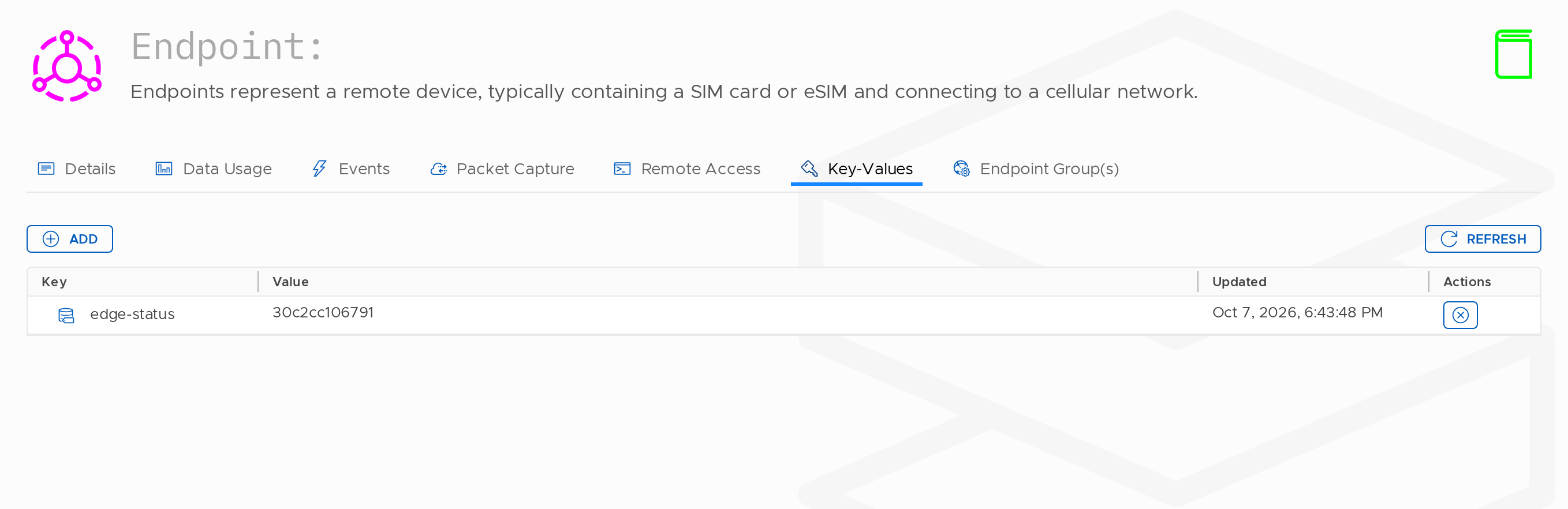
Accessing Key Values
To view endpoint key values:
- Navigate to Inventory → Endpoints
- Select an endpoint
- Open the Key Values tab
What Are Key Values?
Key Values are custom key-value pairs attached to an endpoint.
- Key — A unique identifier for the data (e.g.
vehicle_id) - Value — The associated value (e.g.
TRUCK-001)
They allow you to store metadata relevant to your specific use case.
Scope
Key values are stored at the endpoint level and are not inherited from Endpoint Groups or other configuration objects.
Common Use Cases
Fleet Management
| Key | Example Value | Purpose |
|---|---|---|
vehicle_id | TRUCK-001 | Links the SIM to a specific vehicle |
license_plate | ABC1234 | Vehicle registration tracking |
driver_name | John Smith | Driver assignment |
fleet_code | FLEET-EAST-01 | Fleet or division identification |
Asset Tracking
| Key | Example Value | Purpose |
|---|---|---|
asset_tag | AST-2024-0001 | Internal asset identification |
location | Warehouse A | Current or assigned location |
serial_number | SN987654321 | Manufacturer serial number |
purchase_date | 2024-01-15 | Asset registration date |
Industrial IoT
| Key | Example Value | Purpose |
|---|---|---|
sensor_type | temperature | Type of sensor |
installation_date | 2024-03-01 | Installation date |
firmware_version | 2.1.0 | Device firmware version |
machine_id | MCH-Assembly-01 | Associated equipment |
Healthcare / Medical
| Key | Example Value | Purpose |
|---|---|---|
patient_id | PT-12345 | Associated patient (if applicable) |
device_model | MedMonitor-X1 | Device model |
calibration_date | 2024-02-01 | Last calibration date |
location_room | OR-3 | Room or area location |
Managing Key Values
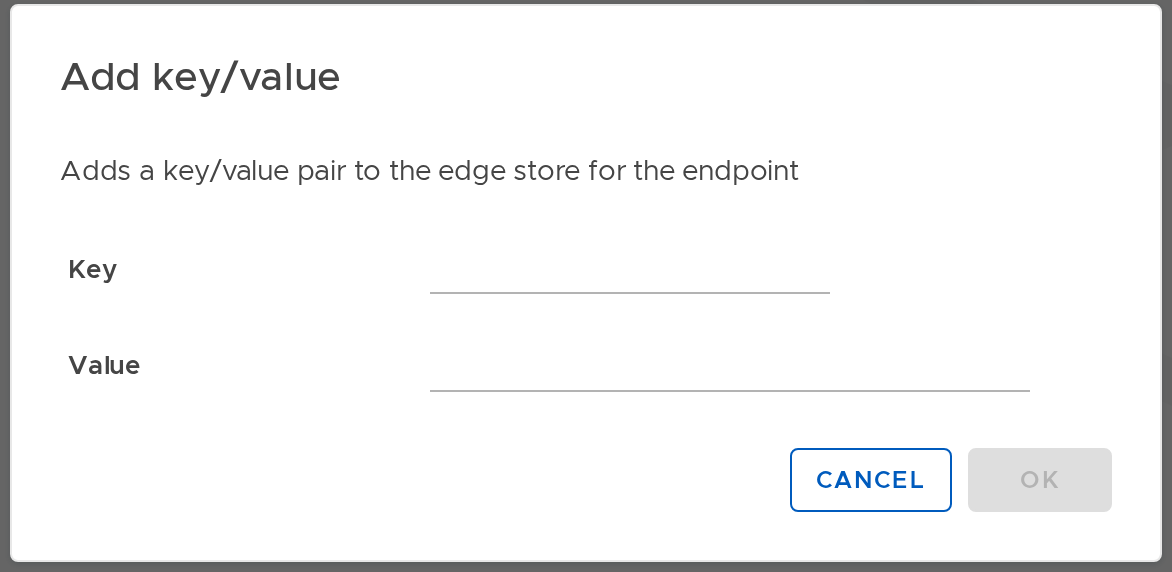
Adding Key Values
Key values can be added through:
- Portal — manually via the endpoint details page
- API — programmatically via the Stacuity API
Key Value Events
When a key value is updated, an event is generated.
- Event type:
EndpointKeyValueUpdated_v1
These events can be used for:
- Webhooks — notifying external systems
- Event Handlers — triggering automated workflows
- Audit logging — tracking changes over time
API Access
Key values can be accessed via authenticated API calls, enabling:
- Programmatic updates
- Integration with external systems
- Retrieval of endpoint metadata
Data Format
Key values store simple key-value pairs (string-based data), which can represent:
- Identifiers (vehicle IDs, asset tags)
- Status information
- Configuration metadata
- Location references
- Any custom application data
Reading Key Values
Key values can be accessed through:
- API — retrieve values programmatically
- Events — receive updates when values change
- Portal — view values in the endpoint details
Best Practices
Naming Conventions
- Use consistent naming (e.g. lowercase with underscores)
- Avoid special characters
- Use clear, descriptive key names
Value Management
- Keep values concise
- Update values only when necessary
- Use consistent formats for similar data
Security
- Avoid storing sensitive information (e.g. passwords or personal data)
- Use secure API access when integrating with external systems
Updated 14 days ago