
Traffic Restriction
Traffic restriction is a feature that controls user access when there is no remaining account balance or bundle data available. When applied, it allows the user to establish a data session but limits connectivity to a defined set of permitted destinations. All other traffic is blocked.
When Traffic Restriction Applies
Traffic restriction comes into effect when:
- The customer has no account balance (no credit)
- There is no available quota from any bundle (all data has been used)
Under normal conditions:
- The system attempts to fall back to the tariff for charging
- If there is no balance, a reservation failure event occurs (indicating no funds are available)
- This would typically result in no data session being allowed
What Traffic Restriction Does
When a traffic restriction policy is applied:
-
A data session is still allowed, even if the user has:
- No balance
- No remaining bundle data
-
Instead of blocking access completely:
- Traffic is restricted to specific destinations only
- All other traffic is blocked
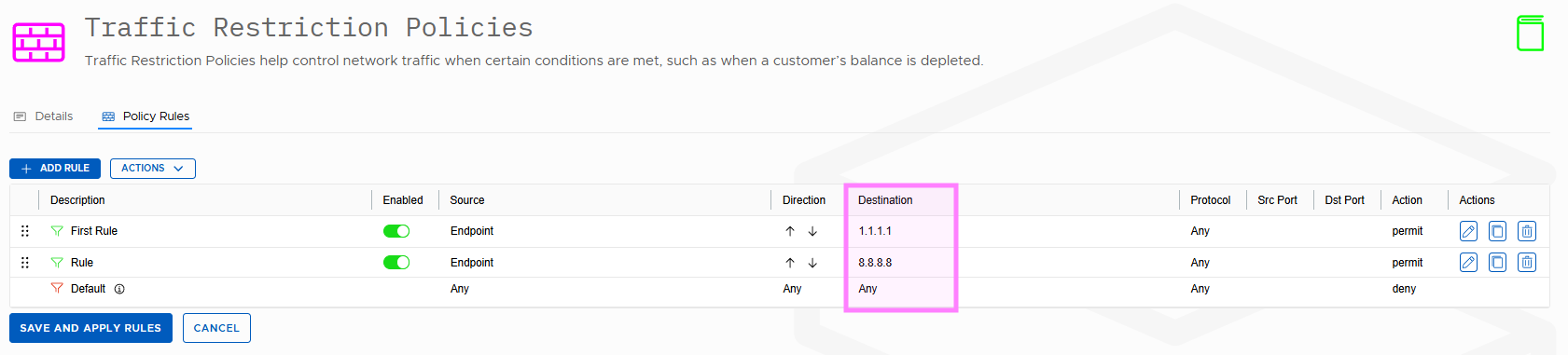
For example, users may be granted access to specific whitelisted IP addresses. When configured correctly, this can support scenarios such as allowing customers to top up their balance while roaming abroad, without the need to locate and connect to a Wi‑Fi network.
How It Works (Technical Flow)
Without Traffic Restriction
- A Create Session Request is received
- The system checks for:
- Available balance, or
- Available bundle quota
- If neither is available:
- A reservation failure is returned
- The data session is rejected
With Traffic Restriction Enabled
- A Create Session Request is received
- Even if there is:
- No balance
- No bundle quota
- The system:
- Allows the data session
- Applies the traffic restriction policy
- The user can only access whitelisted destinations
- All other traffic is blocked
Configuration Steps
To enable traffic restriction, the following must be configured:
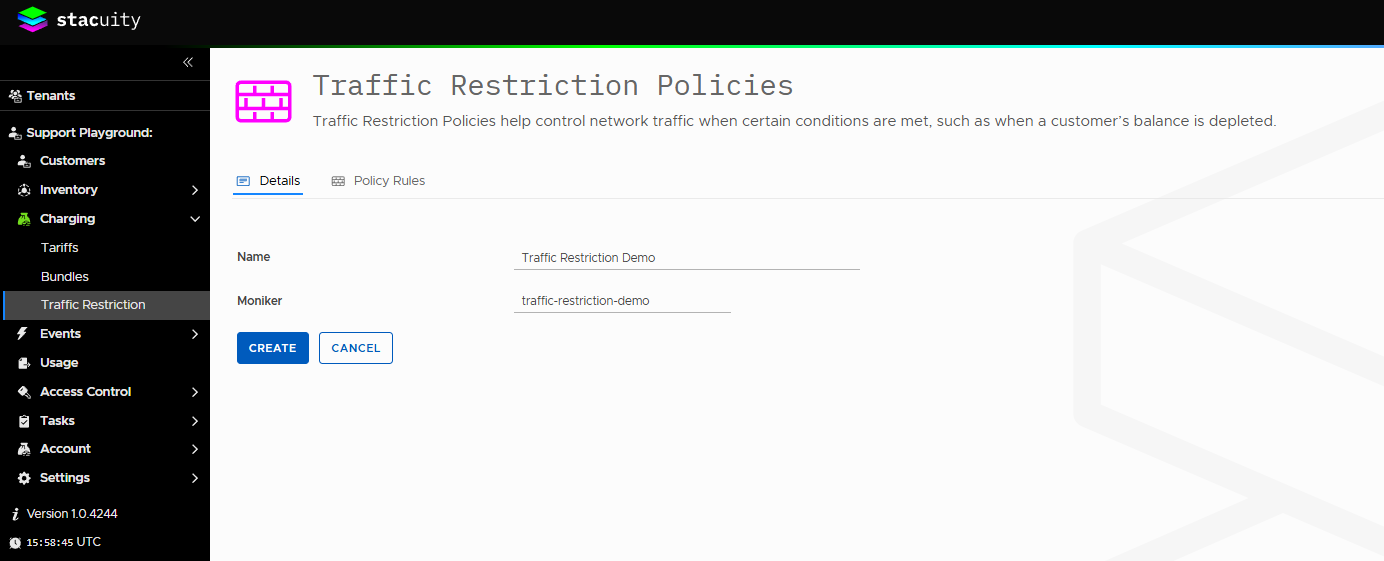
- Create a Traffic Restriction Policy
- Define the allowed destinations (e.g., IPs, domains)
- Apply the Policy to a Tariff
- Assign it as the “balance depleted traffic policy”
- Assign the Tariff to a Customer
- Ensure the customer is using the tariff with the policy applied
Key Point
Traffic restriction ensures that:
- Users without balance or data are not fully cut off
- They can still access essential services (like top-up)
- All other internet access remains blocked
Example
Updated 4 months ago