
Users
Users are able to login and use the portal via a web browser.
Overview
The Users screen lists every user with access to your account. From here you can invite new users and view existing user records.
Navigate to Access Control → Users.
Inviting a User
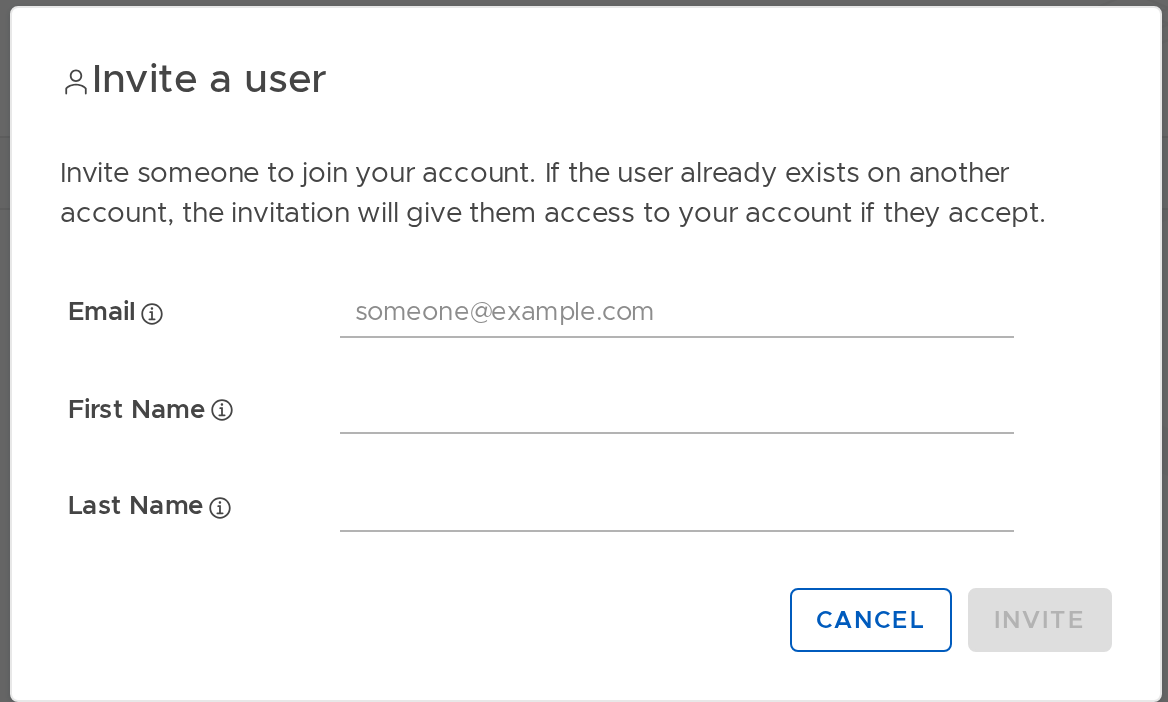
- Click Invite User.
- Enter the user's Email, First Name, and Last Name.
- Click Send Invite (or the button will become active once fields are filled).
The user receives an email with an invitation. When they navigate to https://portal.stacuity.com and register, they are granted access to your account.
User Detail
Click a user's name to view their detail record. The following fields are shown:
| Field | Description |
|---|---|
| Username | The user's login username (their email address). |
| First Name | The user's first name. |
| Last Name | The user's last name. |
| The user's email address. | |
| Created Time | When the user record was created. |
| Invite Pending | Whether the user has accepted their invitation. |
| Invited Time | When the invitation was sent. |
| Invited Accepted | When the invitation was accepted (if applicable). |
User Roles
RBAC is not yet live. At present, all users who have access to the Customer Portal have access to all features within it. When RBAC is released, tenants will be able to assign different permission levels to users. Your tenant will communicate when this becomes available.
Password Resets
Users reset their own password via the Forgot Password link on the portal login page. Administrators cannot set passwords on behalf of other users.
Updated 13 days ago