
Auto‑Provisioning (Stacuity Edge)
Auto-provisioning enables endpoints to be created automatically when they first connect to the network. Instead of pre-loading endpoint records, the platform validates the device's IMSI range and APN against configured rules, then provisions and assigns the endpoint to the appropriate customer and/or endpoint group in real time.
Note: The Auto Provisioning feature is only available to Stacuity Edge customers. If you are unsure if you are a Stacuity Edge customer please ask you Account Manager.
Navigate to Tenant and select the Provisioning tab
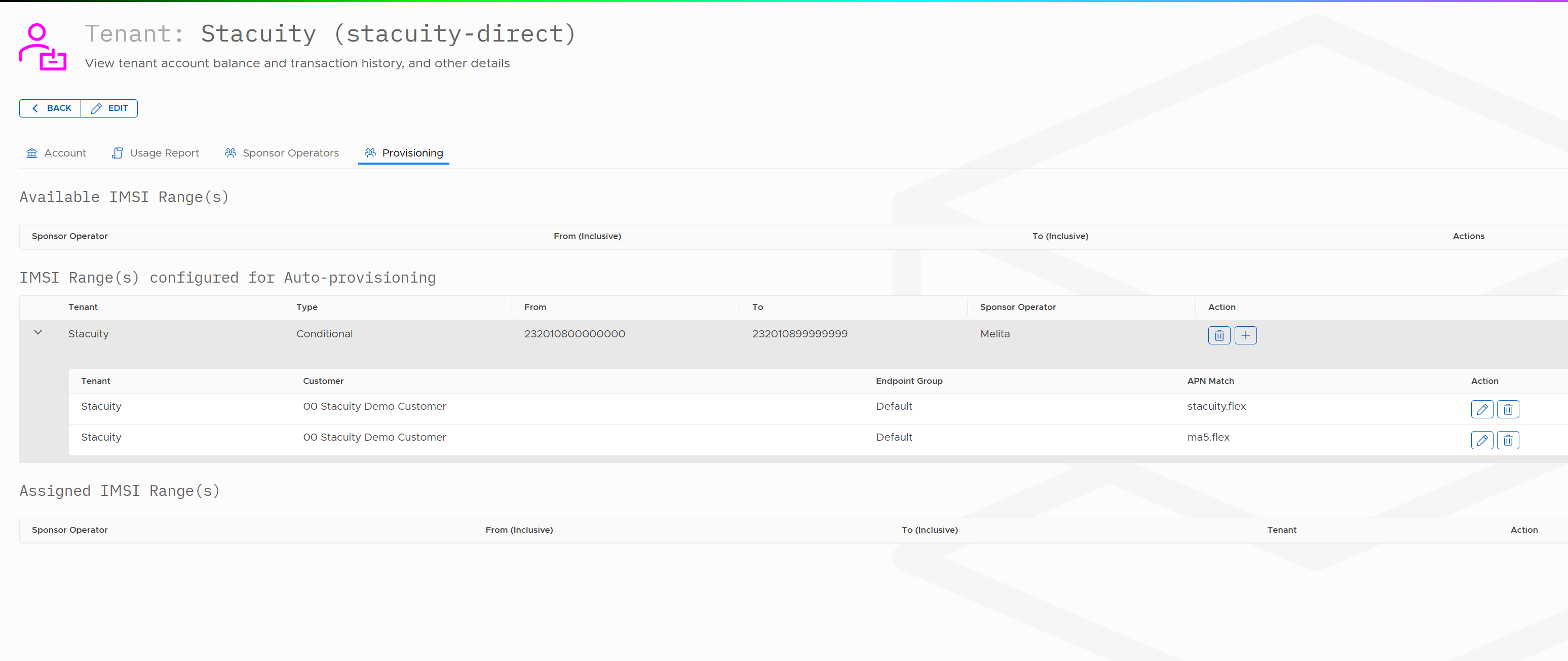
Add Auto Provisioning configuration
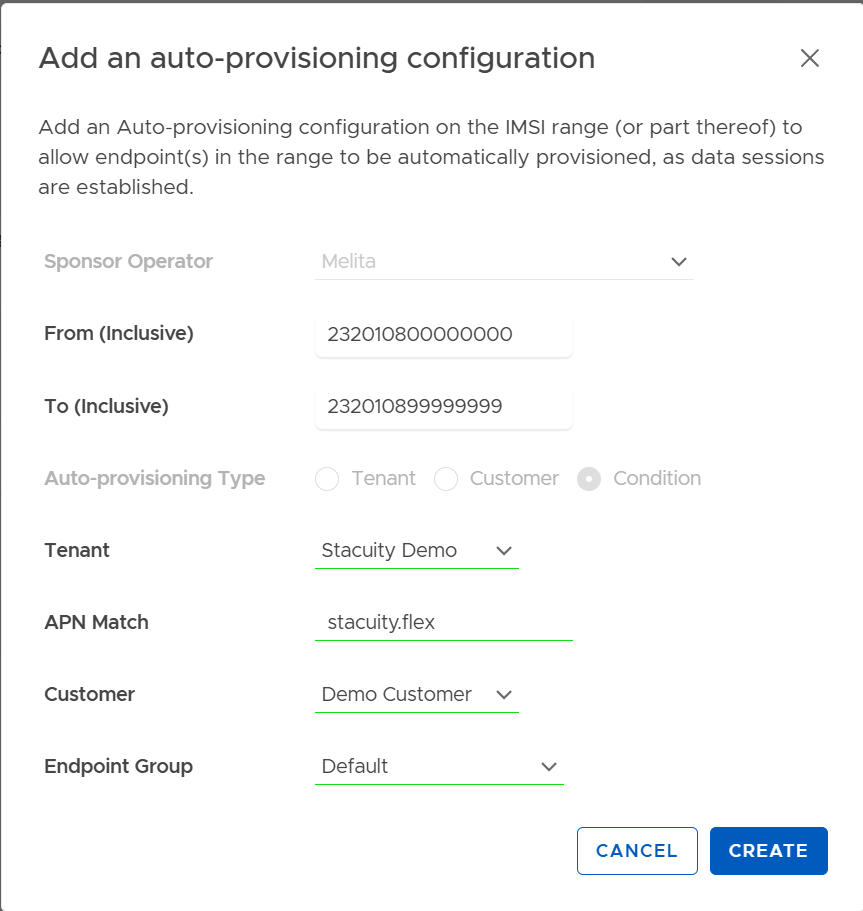
| Field | Description |
|---|---|
| Sponsor Operator | The mobile network operator that owns the IMSI range. |
| From (Inclusive) | The first IMSI in the range eligible for auto-provisioning. |
| To (Inclusive) | The last IMSI in the range eligible for auto-provisioning. |
| Auto-Provisioning Type | Defines how endpoints should be assigned when provisioned automatically. |
| Tenant | The tenant that will own the newly created endpoint. |
| APN Match | The APN that must be used by the device for this rule to apply. |
| Customer | The customer to which the endpoint will be assigned. |
| Endpoint Group | The endpoint group that the newly provisioned endpoint will be placed into. |
Edit and Delete Auto Provisioning
You also have the option to Edit and Delete these Auto Provisioning rules.

Benefits
- Eliminates the need for bulk pre-provisioning of endpoints
- Reduces operational overhead for SIM distribution
- Automatically assigns endpoints based on APN and IMSI ranges
- Enables dynamic, "just-in-time" provisioning when connectivity is first requested
- Simplifies onboarding for large-scale deployments and resellers
Updated 2 months ago
Did this page help you?