
Endpoints
Manage individual physical devices with SIM cards and/or eSIMs provisioned on your Stacuity account.
What is an Endpoint
An endpoint represents a physical device with a single SIM card (physical or eSIM) on your account. It serves as the most granular unit of connectivity managed within the portal.
Where to Find Endpoints
Navigate to Inventory → Endpoints in the Stacuity Customer Portal.
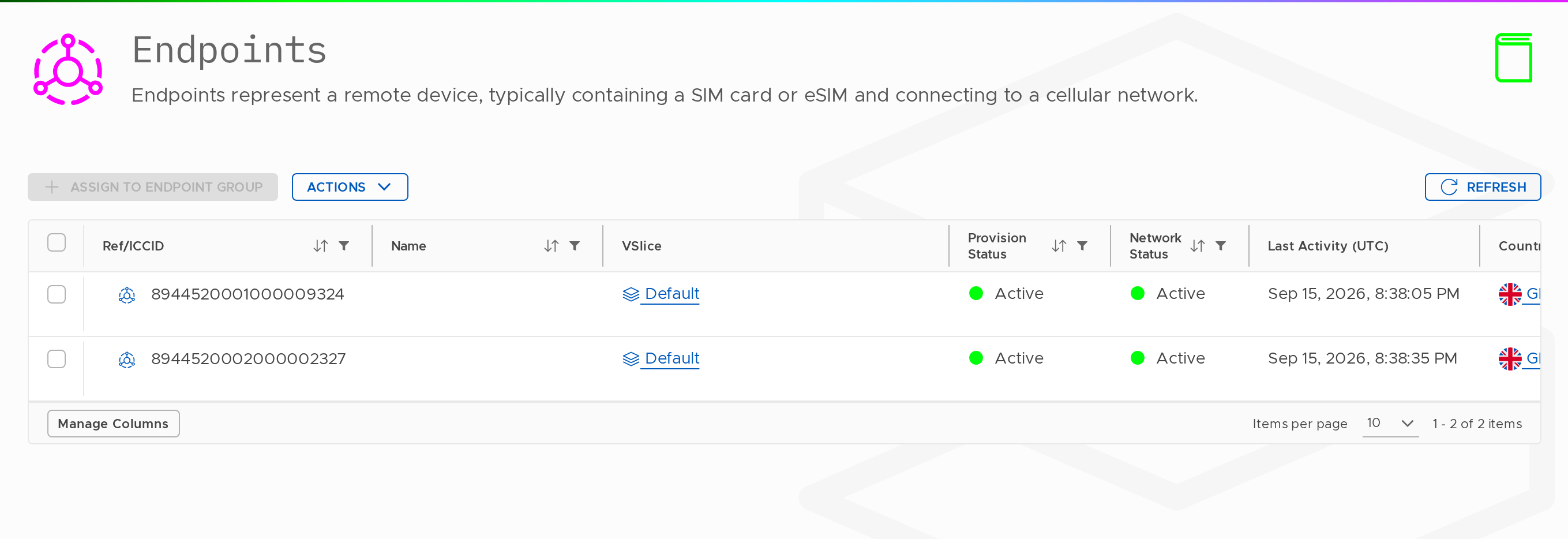
The list displays all endpoints on your account. Each row shows the ICCID, name (if assigned), current state, assigned Endpoint Group, and last activity time.
Endpoint Characteristics
Every endpoint possesses:
- An ICCID — the permanent, globally unique identifier printed on the SIM card or encoded in the eSIM. This remains constant throughout the SIM's lifetime
- One or more IMSIs — the network identities used when the device attaches to a mobile network. A single SIM can contain multiple IMSIs (for example, a multi-IMSI eSIM capable of roaming across different networks). Regardless of how many IMSIs an endpoint holds, the portal treats it as one logical unit.
- A lifecycle state — the endpoint's current operational status (detailed below)
- An optional Name, Tags, and Reference — for your own identification and filtering purposes
Vantiq Motors — ExampleVantiq Connect manufactures connected passenger vehicles with embedded eSIMs at their production facility. Each vehicle rolls off the assembly line carrying one eSIM — creating a single endpoint record in the portal.
These endpoints initially appear as Pending: assigned to the Vantiq Connect organisation but lacking any network configuration.
Once a vehicle is commissioned at the dealership and its eSIM is allocated to the vantiq-connect-eu Endpoint Group, it transitions to Active status and immediately starts transmitting telematics data while receiving over-the-air software updates without manual intervention.
Important
An endpoint alone cannot transmit traffic. It must be assigned to an Endpoint Group to receive a network configuration and become active.
Endpoints do not hold configuration themselves — they inherit all behaviour from their assigned Endpoint Group.
Endpoint Lifecycle States
Every endpoint exists in one of the following states at any time. The state determines whether the endpoint can transmit traffic and what actions remain available.
| State | What it means | Can pass traffic? | Reversible? |
|---|---|---|---|
| Pending | Allocated to your account, not yet in a group | No | Yes, assign to a group |
| Active | In a group, fully provisioned, able to pass data | Yes | Yes, suspend or terminate |
| Idle | Active, attached to a network, but no current data session | No active session (can resume instantly) | Yes, device will create session when ready |
| Detached | Active, but not seen on any mobile network | No | Yes, device will re-attach when in coverage |
| Suspended | Temporarily disabled. Any active session ends immediately | No | Yes |
| Terminated | Permanently disabled | No | No, requires support ticket within 90 days |
State Transitions
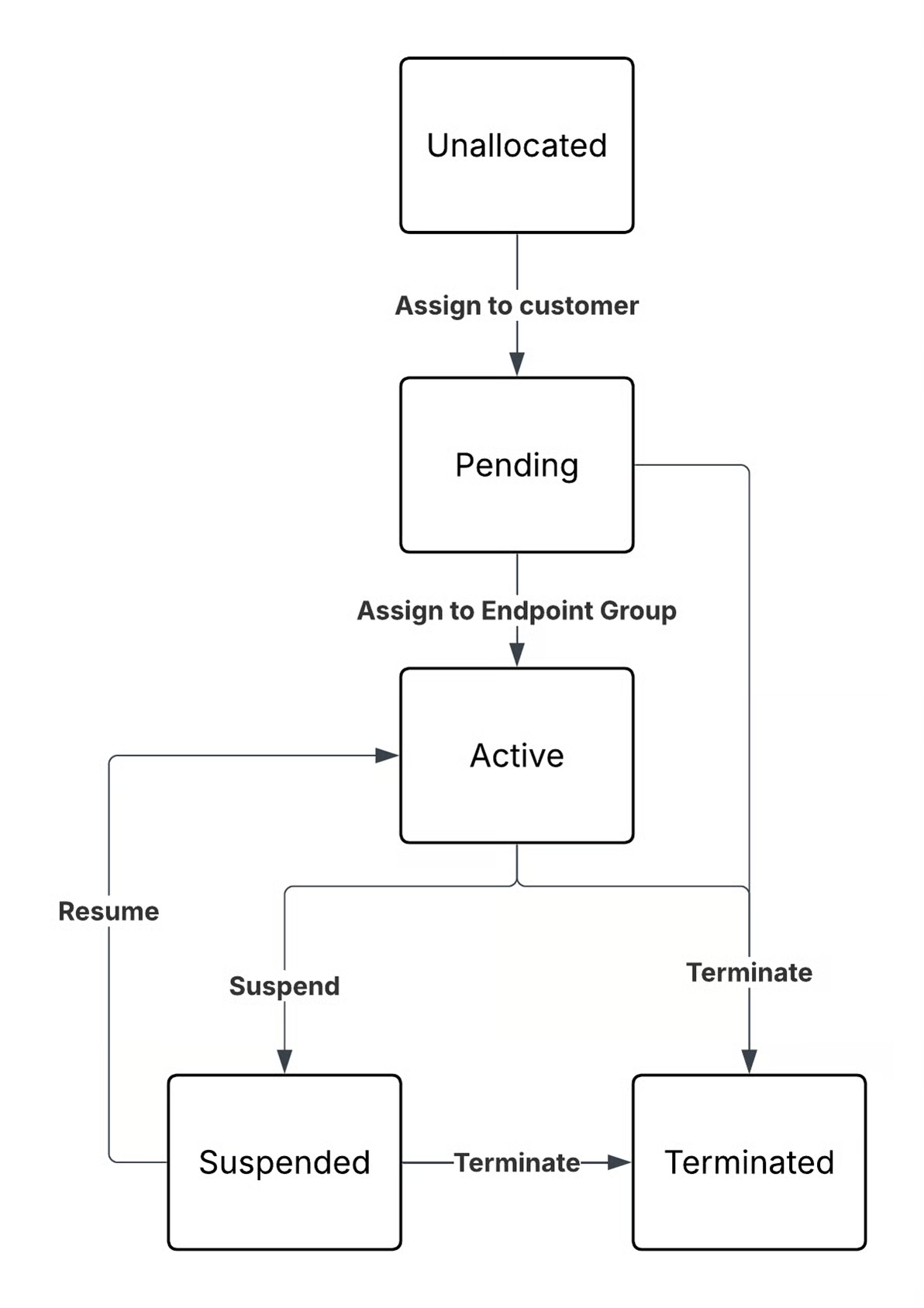
On Termination: Termination cannot be reversed through the portal. The endpoint record persists for 90 days, during which Stacuity support can attempt reinstatement if contacted. After 90 days, the record is permanently deleted.
Always verify carefully before terminating—especially when bulk-acting on large numbers of endpoints.
Filtering and Search
Filter Options
| Filter | Description |
|---|---|
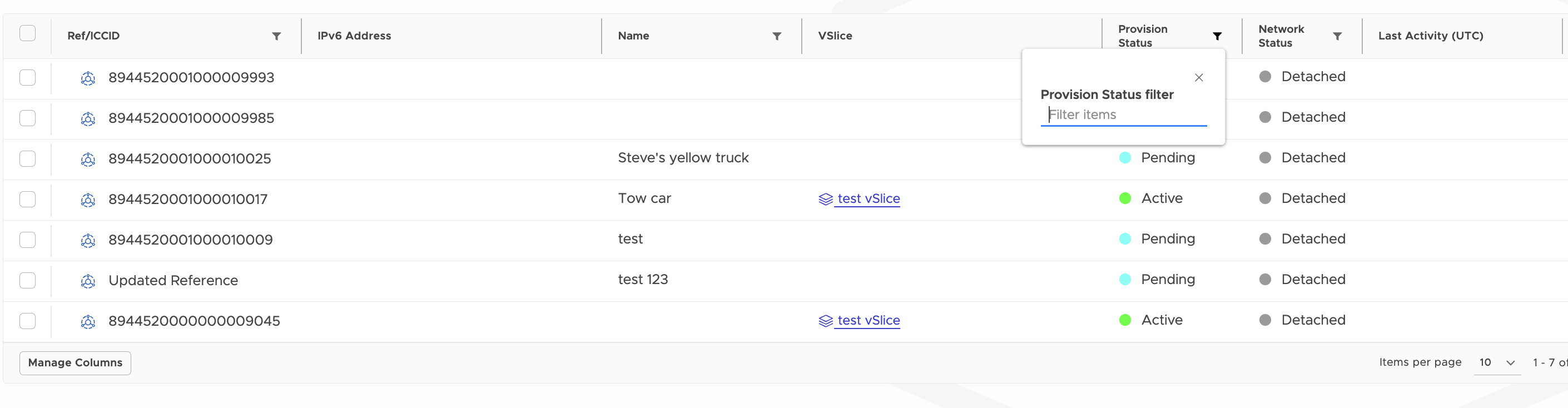
| Status | Filter by lifecycle state (Pending, Active, Idle, Detached, Suspended, Terminated) |
| Endpoint Group | Show only endpoints assigned to a specific group |
| VSlice | Filter by the VSlice the endpoint belongs to |
| Name/ICCID/IMSI | Text search across identifiers |
Using Filters
- Click the Filter icon on the filter you want to apply
- Type in the criteria you want to filter by NOTE Filters are case sensitive.
- The table updates in real time to show only matching endpoints
- You can combine multiple filters for precise results.
Actions
From the Endpoints list you can:
- Suspend
- Resume
- Terminate
From the Endpoint Groups list you can assign endpoints to a group — for other lifecycle actions, open the individual endpoint detail view. Note: Suspend and Resume are accessible from the endpoint detail view.
IP Addresses
Endpoints are assigned an IP address when they establish a data session. Every active endpoint has at least one IP address, allocated from the subnet of its Endpoint Group's VSlice. The IP appears on the endpoint's IP Addresses tab.
If an endpoint belongs to a Primary Endpoint Group and one or more Secondary Endpoint Groups (used in multi-APN deployments), it will have one IP address per group membership, each used when the device sends traffic over the corresponding APN.
IP Address Types
IP addresses can be:
- Automatically assigned : the next available IP from the subnet is allocated when the endpoint first creates a data session
- Statically assigned : you specify a fixed IP in the endpoint's edit screen. That IP is permanently reserved for this endpoint
Updated about 1 month ago