
Inventory
This is where you manage all your connectivity assets in the Stacuity Customer Portal.
The Inventory section is where you manage all your connectivity assets in the Stacuity Customer Portal. This includes your SIM cards (Endpoints), their organisation (Endpoint Groups), and the process of activating new SIMs.
Overview
The Inventory section provides centralised management for:
| Component | Description |
|---|---|
| Endpoints | Individual SIM cards or eSIMs provisioned on the Stacuity network |
| Endpoint Groups | Logical collections of Endpoints that share common policies and configurations |
| Activate SIMs | Bulk activation workflow for provisioning new SIM cards |
When to Use Inventory
You will use the Inventory section for:
- Provisioning: Activating new SIMs and bringing devices online
- Organisation: Grouping endpoints into endpoint groups
- Monitoring: Viewing endpoint status, data usage, and events
- Troubleshooting: Investigating connectivity issues through detailed endpoint information
- Lifecycle Management: Suspending, resuming, or terminating endpoints as needed
Navigation
Access the Inventory section from the portal sidebar:
Inventory
├── Endpoints          # Manage individual SIMs
├── Endpoint Groups    # Organize and apply policies
└── Activate SIMs      #  SIM activation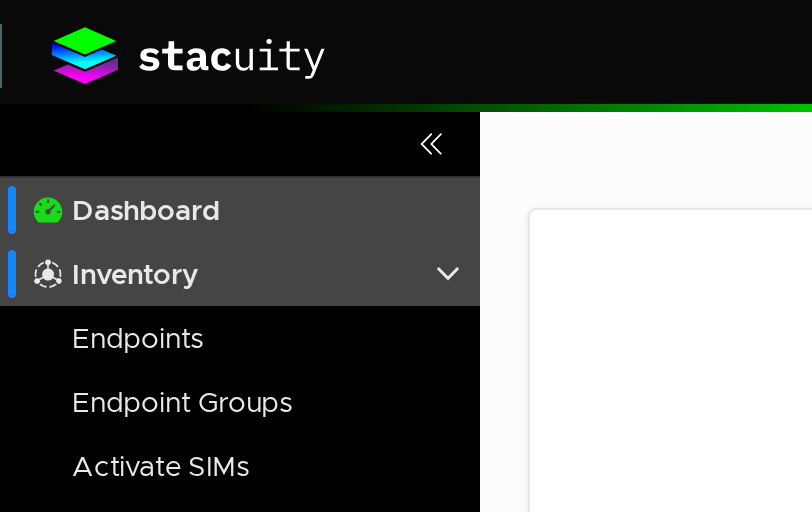
Inventory Overview
Key Concepts
Endpoints
An Endpoint represents a physical device with a SIM card or eSIM. Each endpoint has:
- A unique ICCID (Integrated Circuit Card Identifier)
- A primary IMSI (International Mobile Subscriber Identity)
- A lifecycle State (Pending, Active, Idle, etc.)
- An IPv4 Address: allocated from the subnet of its Endpoint Group's VSlice when the endpoint first creates a data session. Can be set as static (fixed permanently to this endpoint) or left as dynamic (allocated automatically from the pool). In a multi-APN deployment, an endpoint has one IP address per group membership — one for the Primary Group and one for each Secondary Group.
- Optional custom Name and Tags for identification
Endpoint Groups
An Endpoint Group is a logical container that applies policies to multiple endpoints:
- Primary Groups: Define the main network configuration (VSlice, routing, regional policies)
- Secondary Groups: Enable Multi-APN support for additional data paths
- Idle Timer: Configurable inactivity detection and actions
Getting Started
- Create Endpoint Groups: Set up Endpoint Groups to organise your devices
- Assign Endpoints: Assign your activated SIMs to appropriate groups
- Monitor and Manage: Use the Endpoints interface to monitor and manage individual devices
Updated about 1 month ago
What’s Next
Did this page help you?