
Managing Event Subscriptions
After creating your Event Map, you need to subscribe Event Handlers to specific event types:
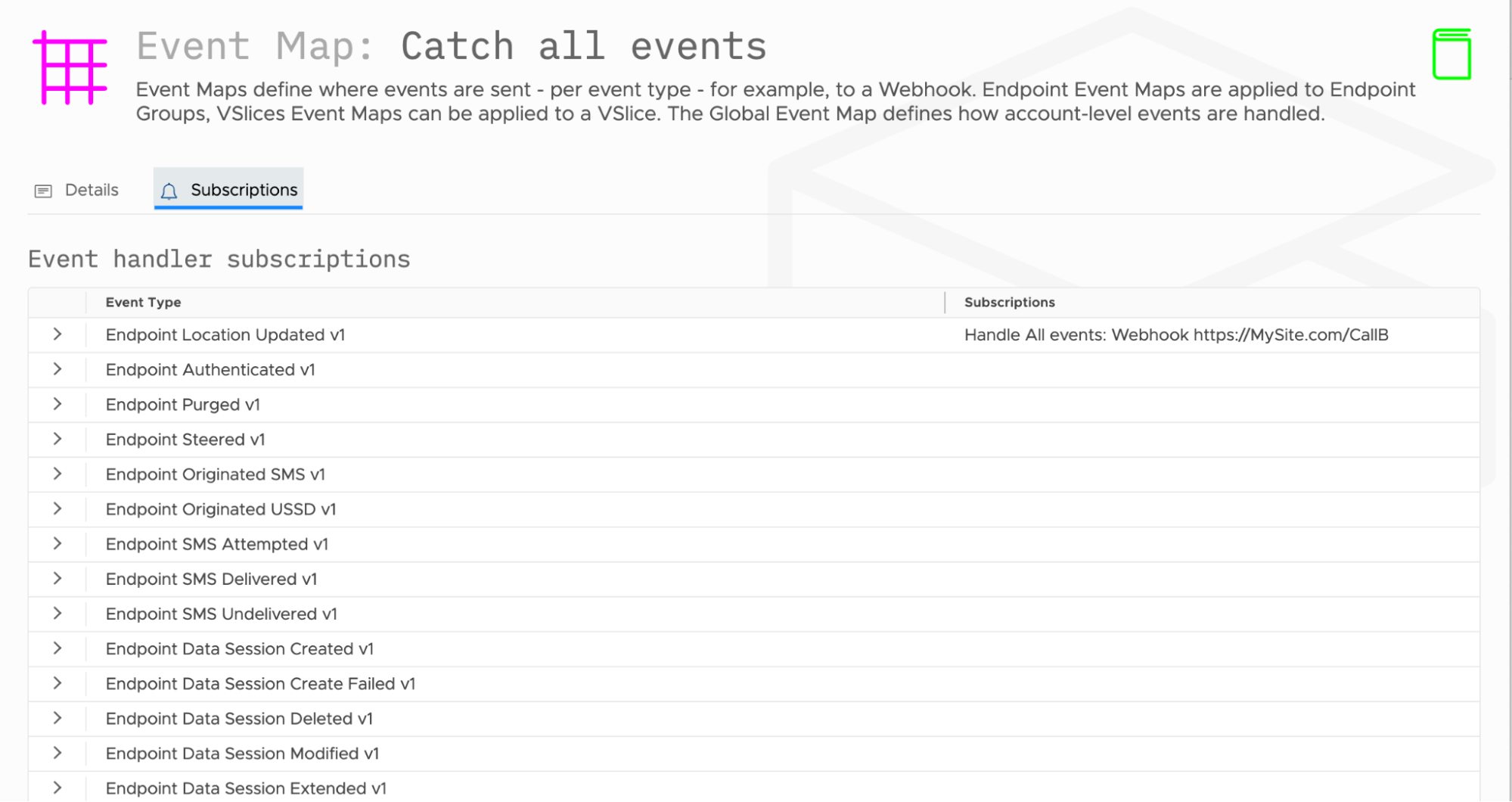
- Navigate to the Subscriptions tab - This shows all available event types that can trigger notifications.
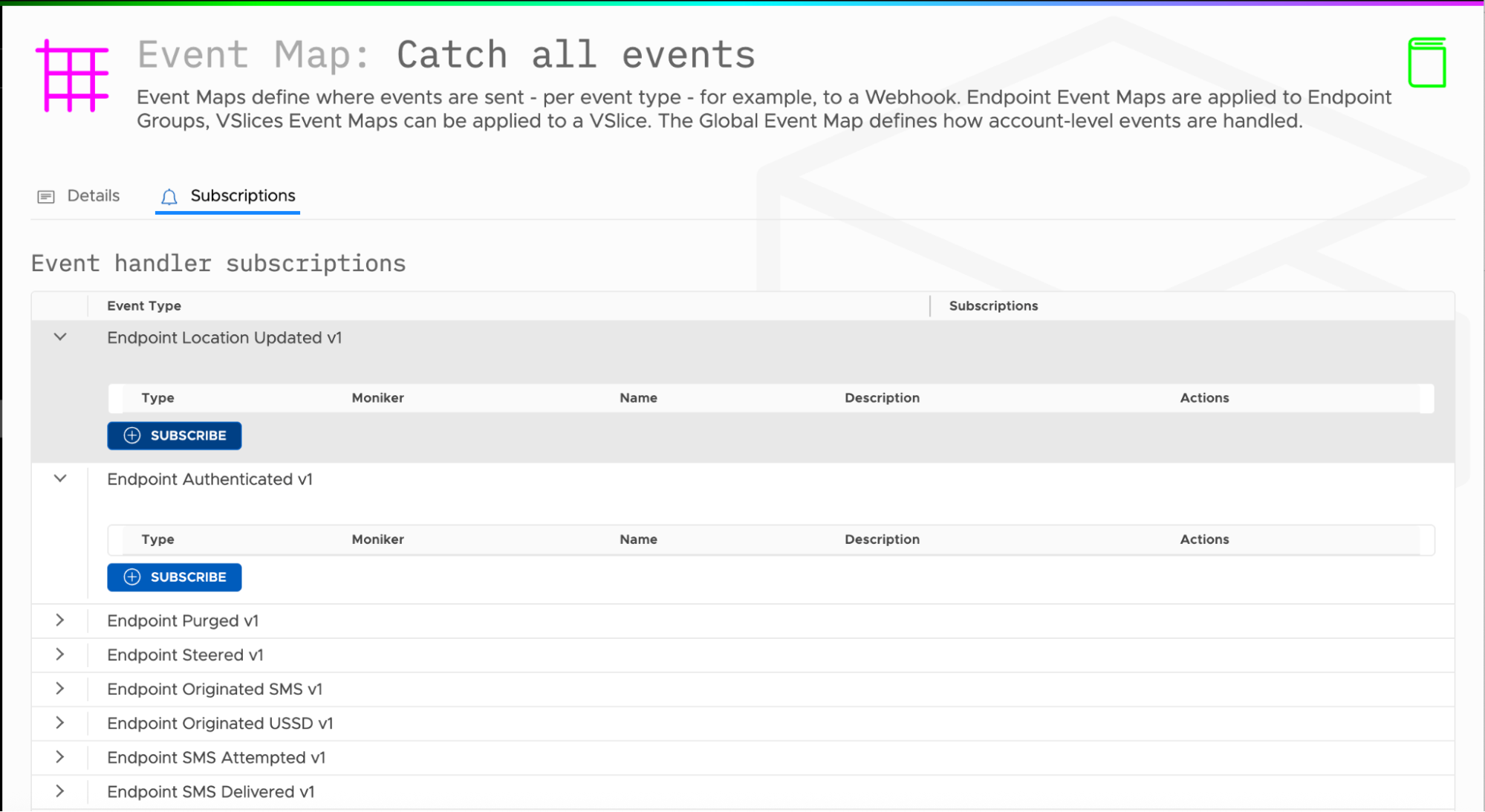
- Select Event Types - Expand event categories like "Endpoint Location Updated v1" or "Endpoint Authenticated v1" to see available events.
- Subscribe Event Handlers - Click "Subscribe" for each event type you want to monitor, then select which Event Handlers should receive these notifications.
- Choose Your Handlers - Select from your configured Event Handlers (webhooks) that should be notified when each event type occurs.
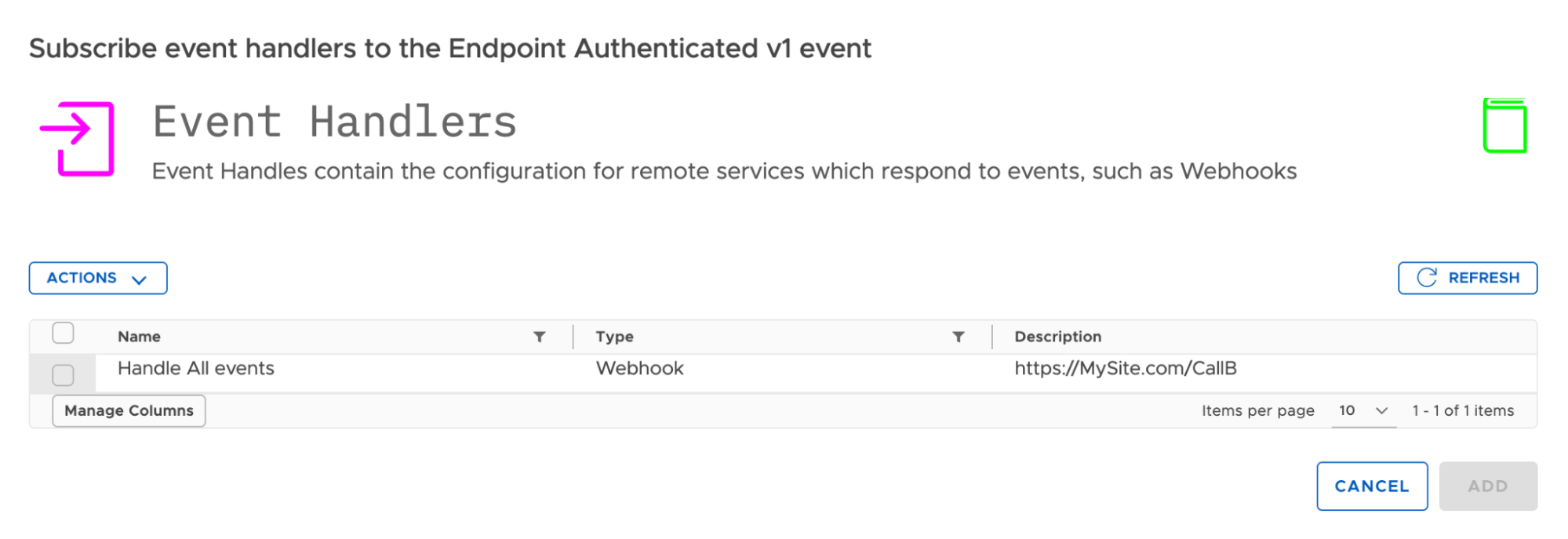
- Add Subscriptions - Click "ADD" to activate the subscription between the event type and your selected handlers.
Important: Event Maps only route events to Event Handlers—you are responsible for ensuring your Event Handlers (webhooks, SMS services, etc.) are properly configured and operational.
Updated 10 months ago
What’s Next
Managing Event Subscriptions